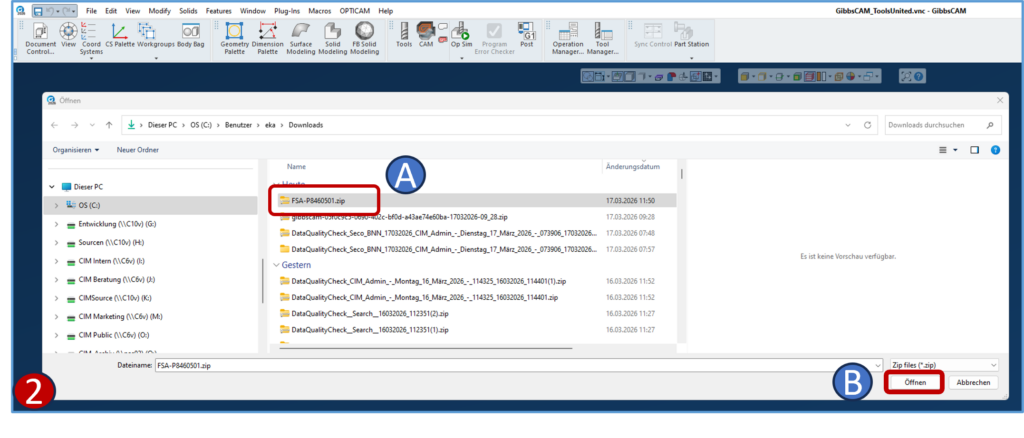
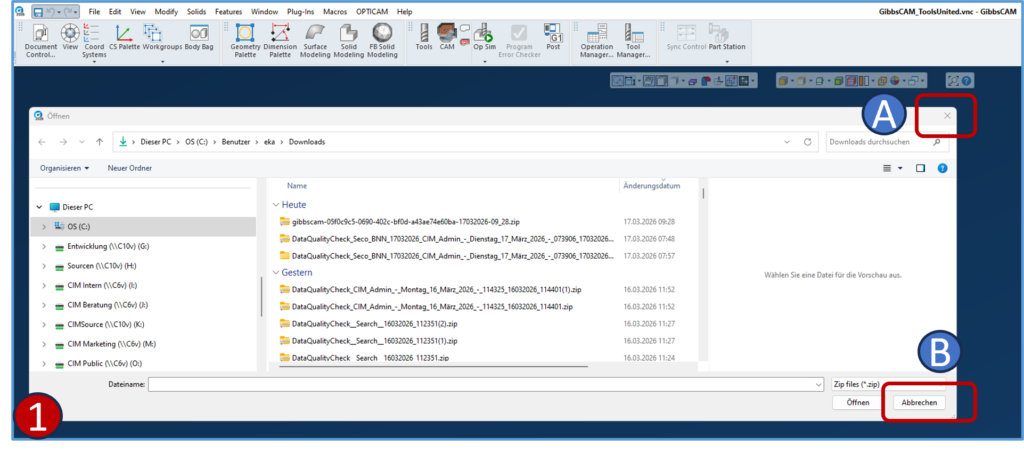
2- If a .zip file with the required data is already available or downloaded from ToolsUnited:
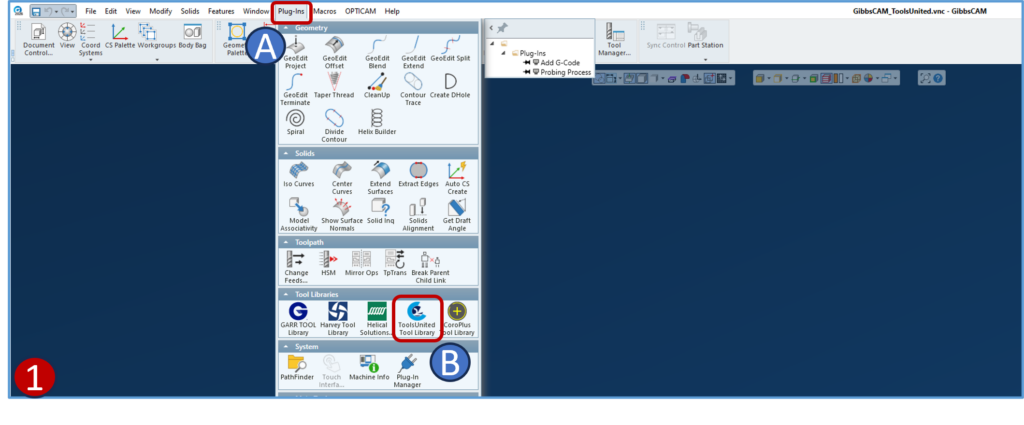
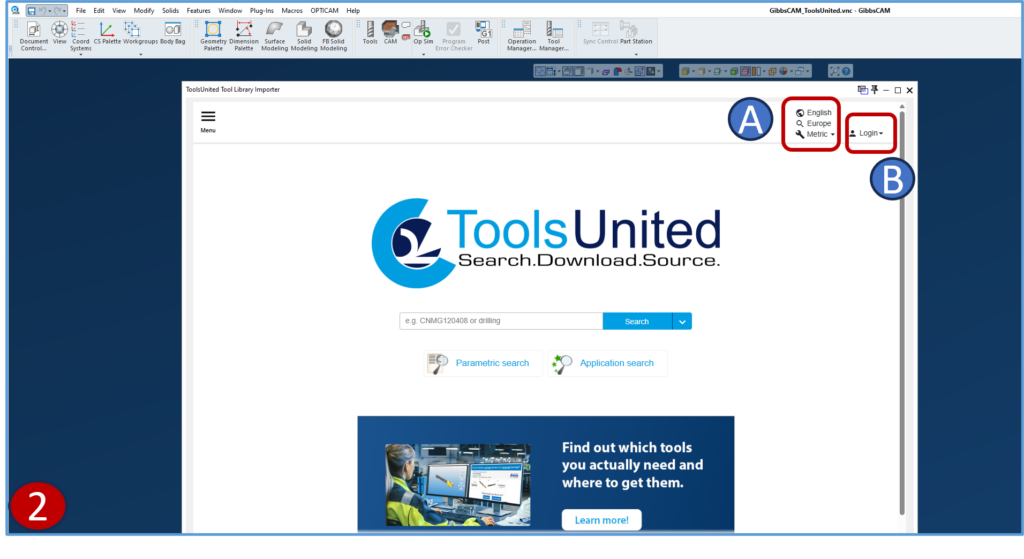
1- Alternatively, to access ToolsUnited:
For more Information on how to use the basic navigation methods of ToolsUnited please refer to the tutorials.
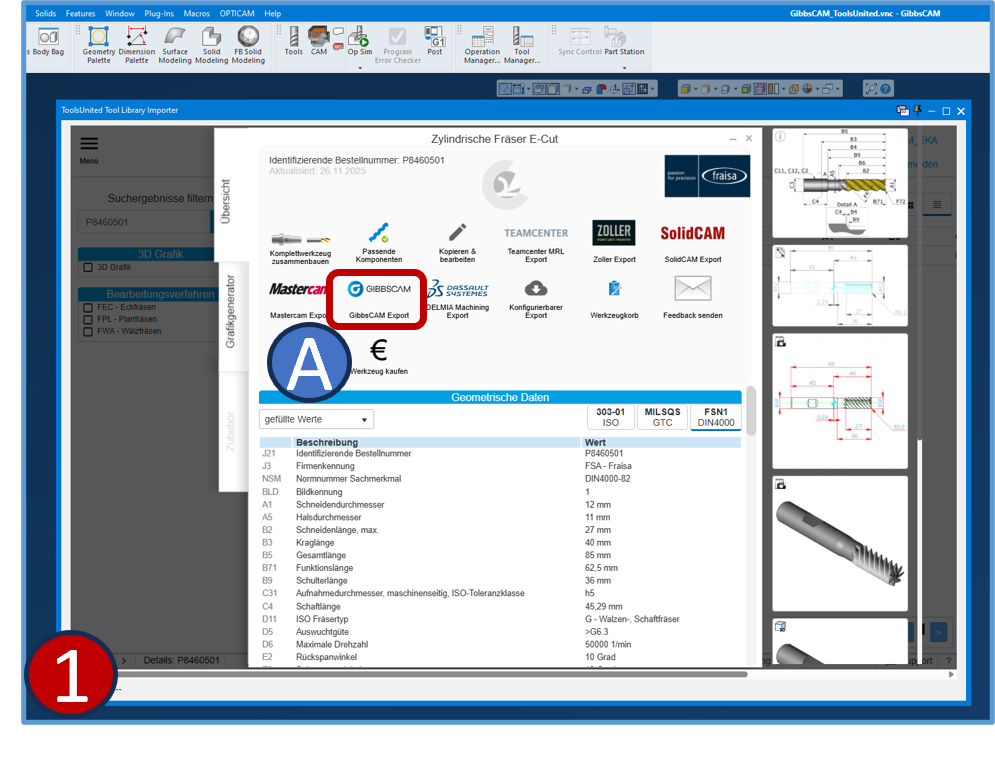
1- Export to GibbsCAM
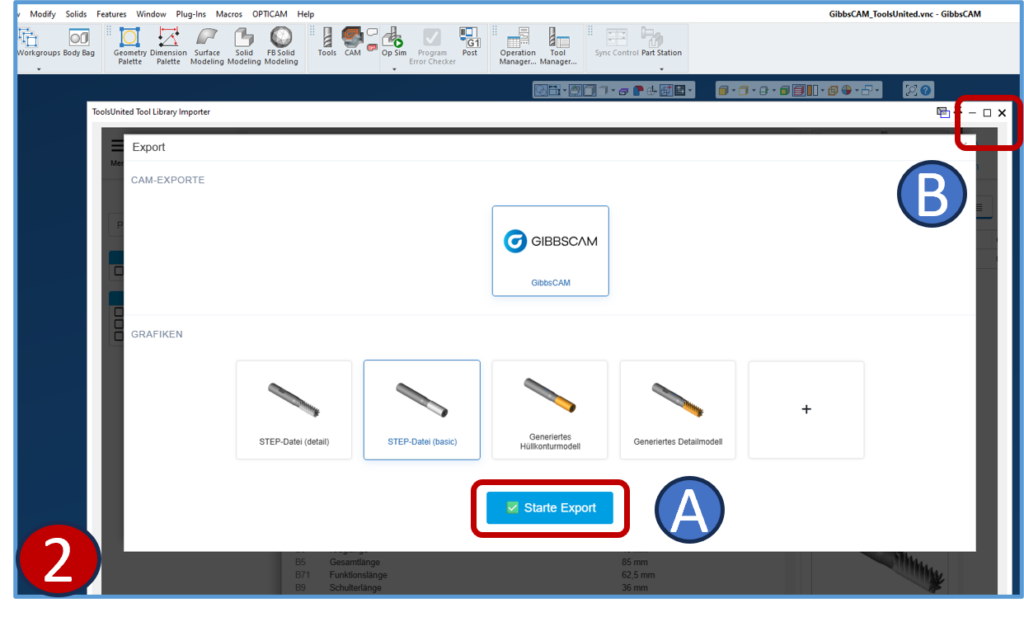
2- Start Export
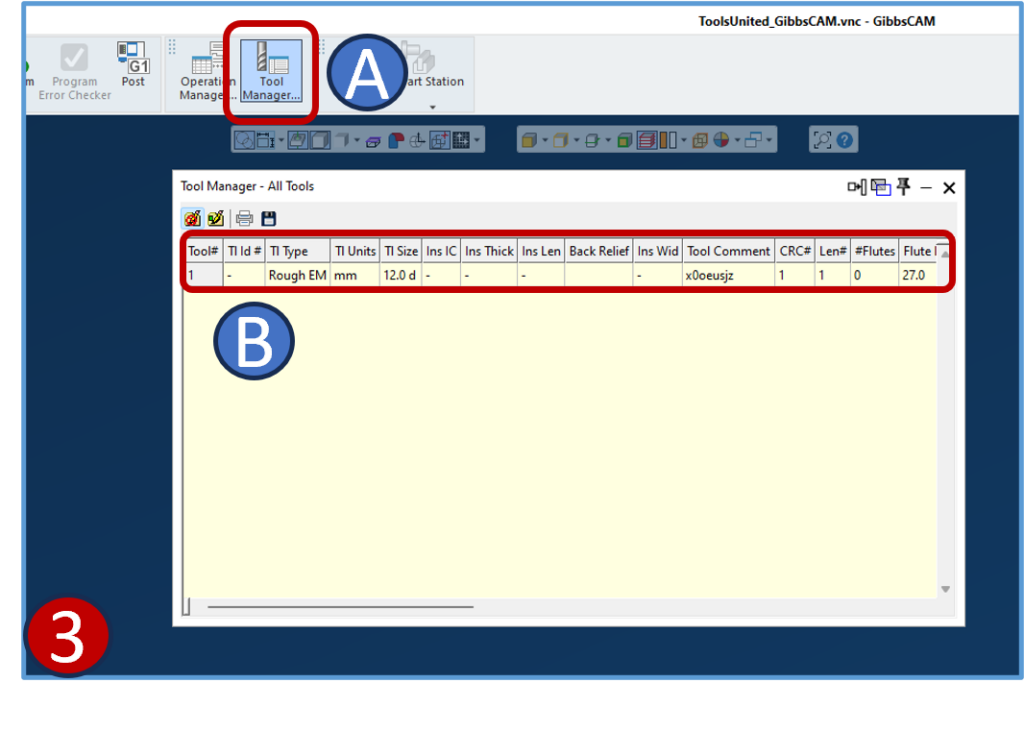
3- In GibbsCAM
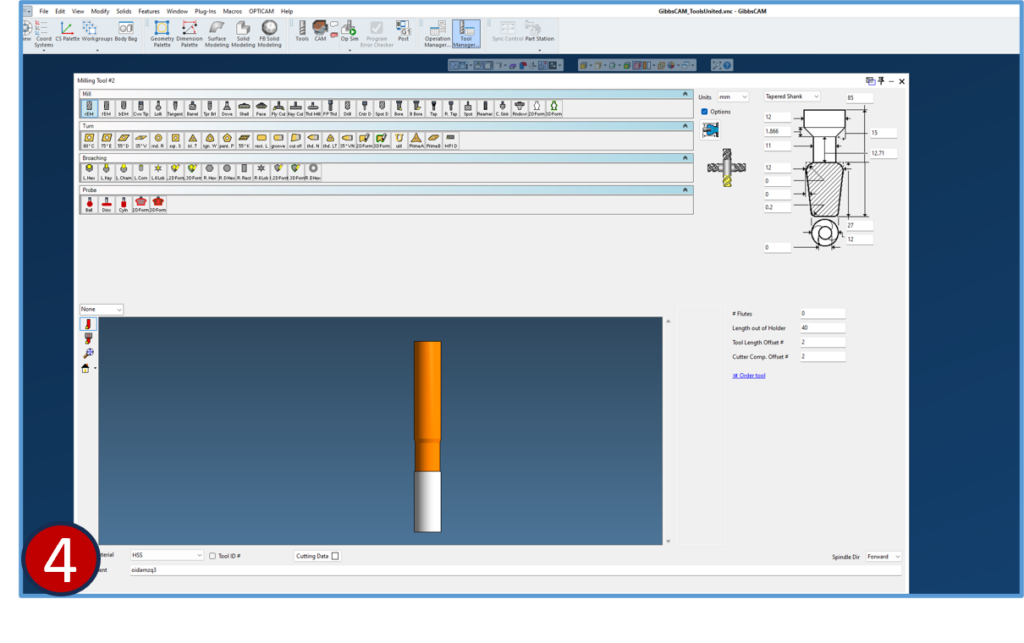
4- Exported cutters will be displayed with its parameters