Tool Data for Tebis

Access thousands of cutting tool specifications form leading manufacturers and seamlessly import them into Tebis. Save time, reduce errors, and optimize your tool management workflow.

What Is Tebis?

Tebis is a CAD/CAM software solution designed for complex manufacturing and CNC machining applications in industries such as toolmaking, mold manufacturing, and automotive production. The software enables users to design, program, simulate, and optimize machining processes within a fully integrated digital environment, supporting efficient and precise production workflows.

Developed by Tebis AG, the platform combines CAD design, CAM programming, simulation, and manufacturing process management in a single system. Tebis helps manufacturers improve machining quality, reduce programming effort, and standardize production processes through advanced automation, digital tooling libraries, and virtual machining technologies.


Why Use ToolsUnited with Tebis?

ToolsUnited brings together tool data from different manufacturers in a single, reliable source — ready to use for your application.

1,334,650 unique tool components

Access a continuously growing library of tool components from leading manufacturers — all in one place, ready to be pulled directly into your workflow

62 world class brands and manufacturers

Source tools from more and more internationally recognized tool manufacturers. Whether you work with Sandvik, Kennametal, Walter, or others — ToolsUnited brings their complete catalogs together in a single, unified interface.

Checked data quality & DIN/ISO compatibility

Every tool component in ToolsUnited is validated for data integrity and complies with DIN/ISO standards. This ensures your CAM or tool management system receives clean, consistent data — no manual corrections, no compatibility issues.

File exports optimized for Tebis

ToolsUnited generates tool data exports specifically formatted for Tebis. Import-ready files ensure seamless compatibility and save your team the time spent on reformatting or data cleanup.

Follow the Step-by-Step Guide

New to the integration? Our guide walks you through setup and your first successful tool data transfer, step by step.

1

Download single component

2

Open Tebis shopping cart for downloads

3

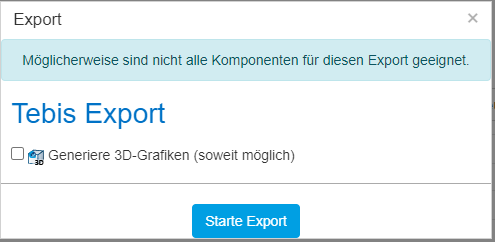
Open the Export Dialog & click the blue button to start the export

4

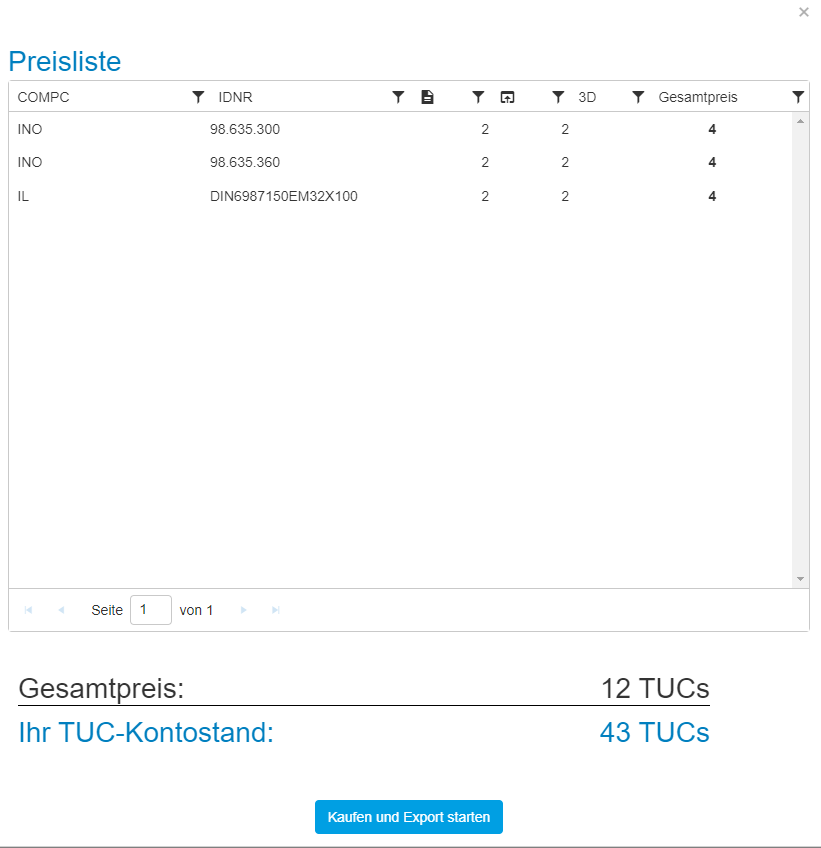
Open the price list to pay and export your items

5

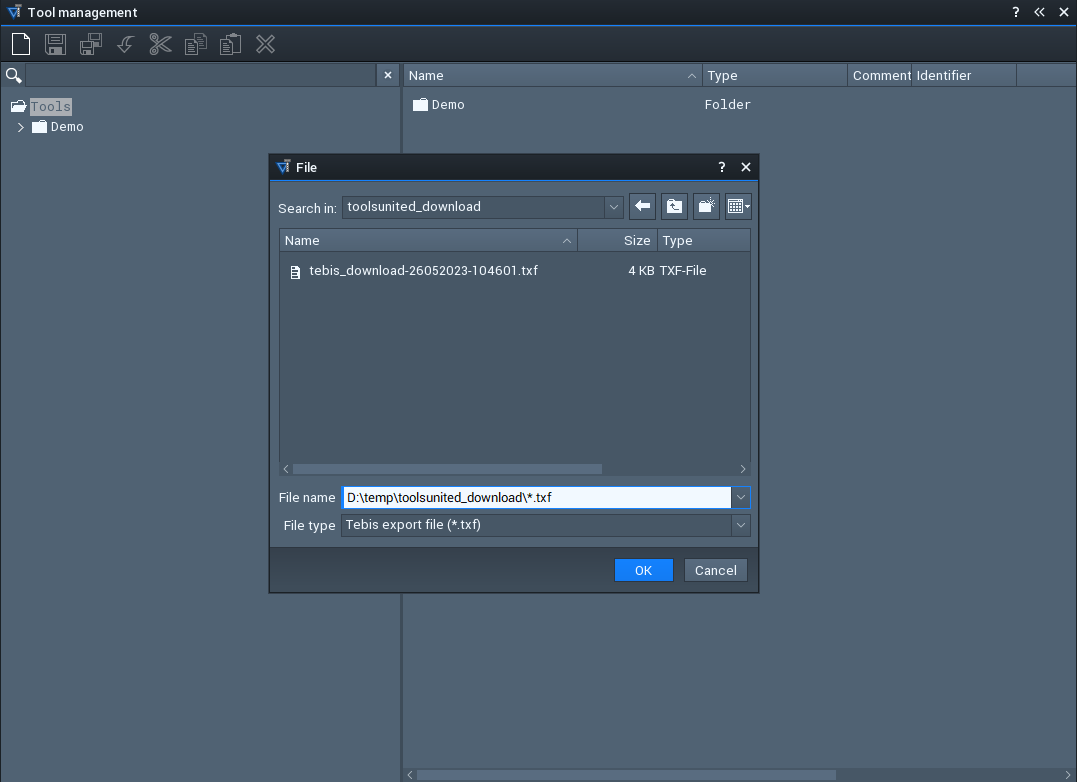
Open the import dialog in the TMS

6

Once you clicked on the import dialog, select the file & click ok to continue

7

Go to the CIMSOURCE directory & find your imported items

Any questions?

If you have any questions, please contact our support. We are happy to help!